
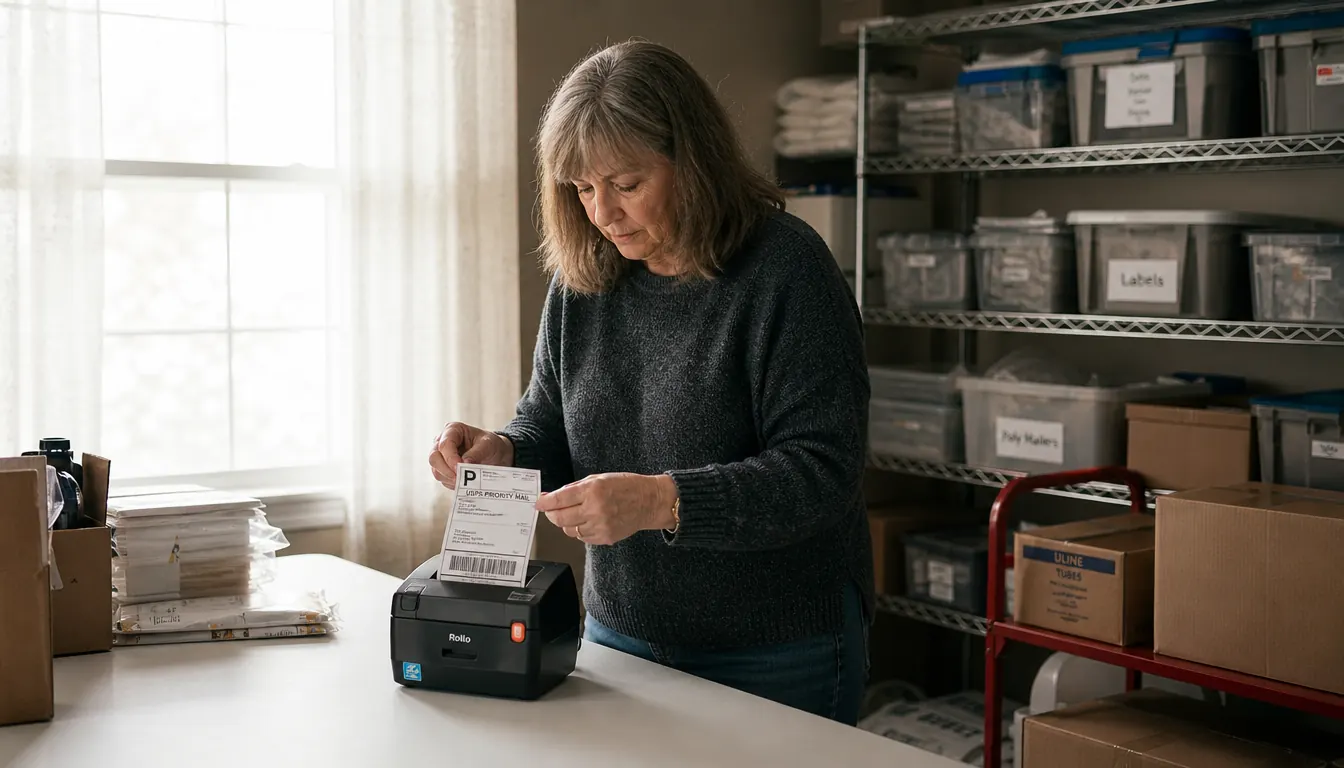
I bought the Rollo USB shipping label printer in April 2022, about a year into reselling, after a winter of printing addresses on sheet paper and taping them to boxes. The tape wrinkled across the barcode more than once. My handwriting was the worse option. That is the whole reason I bought it, and four and a half years later it is still the only label printer on my folding table.
I am not a gadget person. I spent 27 years behind the counter of a small-town post office outside Dayton, Ohio, which means I have watched thousands of labels come across a window and I know what a bad one looks like. A smeared barcode. A label hanging half an inch off the edge of the box. A return address in pen so small I had to squint at it. When I started reselling in spring 2021, I became the person handing those across the counter myself. So what follows is what this printer actually does and what it does not, from someone who has owned it long enough to be bored by it.
The Quick Verdict
Steady and unremarkable in the way a good tool should be. One 4x6 label per second over a USB cable, no ink, no toner, no wireless. The setup hour is real and the labels are a cost of their own. Four and a half years on, mine has never needed a repair.
Amazon Check Today's Price →The thing that ended my taped-on paper labels
It connects to the laptop with a USB cable and prints 4x6 thermal labels with no ink to buy. Mine has sat at the left end of the folding table since April 2022, and I have not taped a paper label to a box since.
Amazon Check Today's Price on Amazon →What Nobody Tells You Before You Buy One
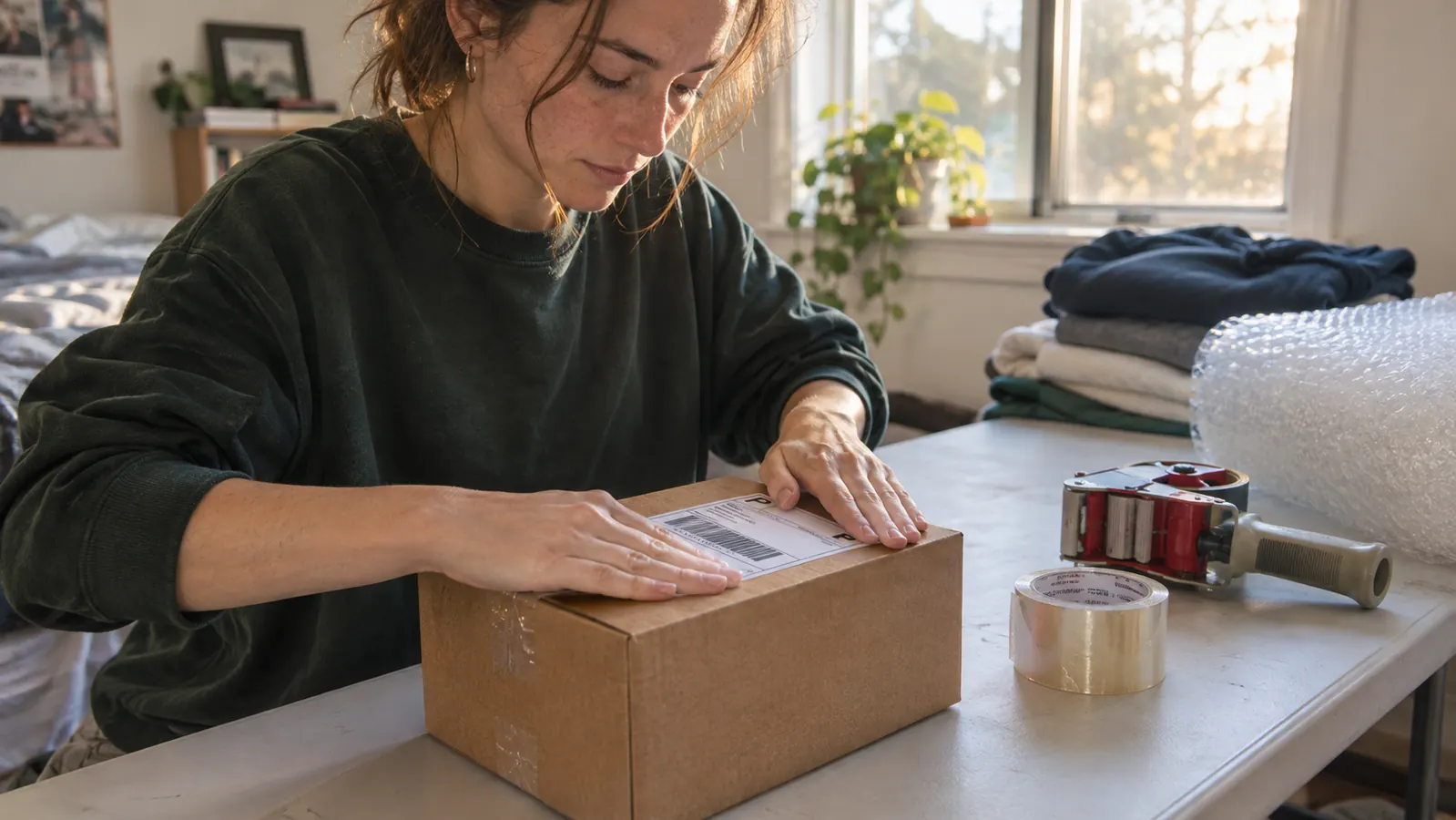
Before the Rollo, I did what a lot of people do at the start. I printed addresses on sheet paper, cut them down with scissors, and taped them square on the box, and I told myself it was fine because it was free. It was not fine. In February 2022 a package came back because the tape had caught a wrinkle right across the barcode, and I stood in my own shipping room holding it and decided I was done. That is the honest version of why I bought a label printer. It was not a business decision. It was a small humiliation I did not want to repeat.
The first thing is that thermal is a method, not a selling word. There is no ink cartridge and no toner drum. The print head heats the label and the image appears. That is why the machine is small, 2.2 pounds, and why it never runs dry halfway through a Monday batch. It also means you cannot feed it any old label. You buy direct thermal 4x6 labels, and if you buy the cheap ones the print comes out pale or rubs off on your thumb.
The second thing is the cable. This is a USB printer. It connects to a laptop or a desktop, Windows or Mac, and it does not connect to a phone. I have read complaints from people who bought it expecting to print from an app in a parking lot. It will not do that. Mine lives within arm's reach of my laptop because it has to, and I plan my printing around that instead of resenting it.
The third thing, and the one nobody puts in the listing, is that the labels are part of the purchase. They are a supply, like tape and mailers and bubble wrap. I keep two rolls on the wire shelving next to the printer and reorder when I open the second one, the same way I reorder poly mailers. Nobody who owns one of these for long talks about it much, because once the label stock is sorted it stops being interesting.
The Setup Is an Hour You Pay Once
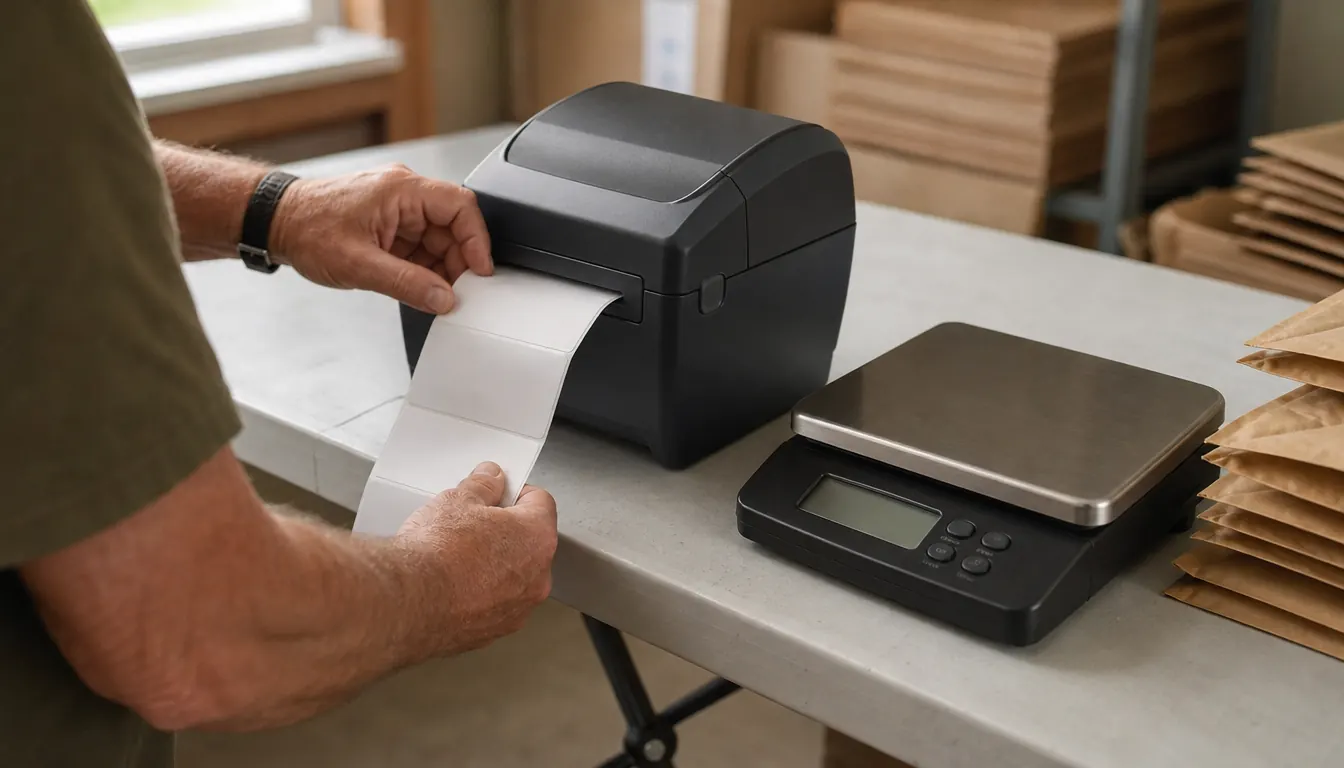
The listing says Windows XP and newer and Mac 10.9 and newer, and mine went onto a Windows laptop without an argument. I plugged in the USB cable, installed the driver, set the label size to 4x6, and printed a test label. The first one came out fine. The second was half an inch off because I had loaded the roll with too much slack in it. That is the whole of my setup trouble, and it was my fault rather than the printer's.
The machine has auto label detection, so it finds the gap between one label and the next on its own once the roll is seated properly. There is a small LED display that tells you it is on and ready. There is no screen with menus to page through. You hit print on the laptop and a label comes out the slot. I have set this up exactly once, in April 2022, and the driver has survived every Windows update since without my touching it.
One thing I would tell anyone setting one of these up: print a test label before you commit to a batch. The first label after a new roll always tells you whether the alignment is right, and it costs you one label to find out instead of twelve. I keep a short note taped inside the lid of my label bin that says to check the guides, because the one time I rushed, I printed eleven labels for a Saturday batch and eight of them had the city name running off the bottom edge. I reprinted all of them. Eleven labels is not a catastrophe. It is just annoying enough that I check now, every time, without thinking about it.
Speed is one 4x6 label per second, which sounds like a spec sheet number until you are packing twelve orders on a Sunday afternoon. Then it is the difference between a rhythm and a bottleneck. The listing also gives a maximum of 30 copies in a single run. I have never come close to needing that, but it is worth knowing if you plan to batch print a whole day at once.
Four and a Half Years at the Left End of the Table
My shipping room is a spare bedroom with a six-foot folding table, a wire shelving unit of labeled bins, and a rolling cart for supplies. The printer sits at the left end of the table, next to the scale. It has not moved since April 2022. In a normal week I print somewhere between eight and fifteen labels here, and more in November and December when the thrifted sweaters move.
What I notice after four and a half years is not the speed. It is that I never think about it. There is no ink level to check, no cartridge to order, no nozzle to clean. The print head gets a wipe now and then when a label comes out streaked, which happens after a long stretch of cheap labels. That is the entire maintenance routine, and my right thumb, which has some arthritis in it, is not asked to do anything but peel.
One particular morning sticks with me. It was a Saturday in December, the week before Christmas, and I had eleven orders to get out and a carrier pickup scheduled for eleven o'clock. The laptop was slow to wake and I stood there tapping the table, and then the first label came out and I was moving. Eleven labels in well under a minute, peel and stick, boxes onto the cart for Gene. That morning is the reason I stopped thinking of the printer as equipment and started thinking of it as part of the table, the same way the scale is. Nothing about it impressed me. It just kept up.
The other thing I notice is what it did to the way I pack. When labels were a chore, I batched them and built the rest of the job around them. Now I print one, stick it, and set the box on the cart for Gene to carry to the porch. He stays out of the shipping room otherwise. The label stopped being the step I put off, and that is a smaller claim than it sounds, but it is the true one.
I have printed eight to fifteen labels a week at the left end of a six-foot folding table since April 2022, and the printer has never needed a repair.
The Parts I Do Not Love
The cable is the first thing. A USB printer means a laptop that is awake and within reach. If I want to print a label while I am standing at the counter at the post office, I cannot. I have to have planned ahead. At my volume that is fine, since I schedule a carrier pickup from the porch more often than I drive in. If your selling has you printing on the road, this is the wrong machine and you should look at a wireless one instead.
The second is alignment. Auto detection is good, but it is not perfect. If the roll is loose or the guides are not snug, the print drifts and you get an address riding up over the edge of the label. I load carefully now and have not had a bad one in a long while, but the first month I wasted a handful learning that.
The third is heat. Thermal labels are sensitive to it. A box that sits in a hot car or on a sunny porch for a day can go grey and the barcode stops scanning cleanly. I keep my label stock in a bin on the shelf instead of near the window, and I do not print labels days ahead for packages that will sit around waiting.
The fourth is that it prints labels and nothing else. No packing slip on letter paper, no receipt, no shipping summary. I keep an ordinary printer for the rare sheet of paper I need, and it is a small annoyance rather than a dealbreaker, but nobody mentions it and you should know before you clear a space on the table.
What I Liked
- One 4x6 label per second, so a twelve order Sunday does not back up at the printer
- No ink and no toner, which is one less supply to run out of in the middle of a batch
- Auto label detection finds the gap between labels without any menu work
- Small footprint at 2.2 pounds, and mine has not moved from the end of the folding table in four and a half years
- Works with Windows and Mac laptops and carries a limited one year warranty
Where It Falls Short
- USB only, so no printing from a phone or from the road
- You still have to buy direct thermal labels, which is a cost that surprises people
- Thermal print fades with heat and sunlight, so label stock has to be stored sensibly
- Loading a new roll takes a few tries before the alignment holds
- It prints labels and nothing else, no packing slips on plain paper
The Labels Are Half the Purchase
Nobody warns you that a thermal printer makes you particular about paper. The wrong label stock is behind nearly every complaint I have read about this machine, and it is not the machine's fault. Cheap labels curl at the edges. The adhesive lets go in the cold. The print comes out grey instead of black. Buy direct thermal 4x6 labels from a seller with a return policy and most of those problems never appear.
What I settled on, after two bad batches in the first year, is a plain direct thermal 4x6 label with no coating and no finish on it. Fan-folded stacks work too, and some people prefer them, but rolls suit the way I feed the machine and the way I work. I buy a two-roll pack, I write the month I opened it on the core in marker, and I keep them flat in a bin on the shelving unit. Labels that sit in a hot car or a sunny window go grey and stop scanning, and I learned that the hard way with the last four labels on a roll that had been near the window all summer.
I keep two rolls on the shelf and reorder when I open the second one. That way I am never standing at the table on a Tuesday morning with four labels left on a roll and a pile of boxes to get out before the carrier comes up the walk.
What It Will Not Do
The Rollo will not make a bad address correct. It will not weigh your package. The scale beside it does that, and the two of them together are what actually fixed my postage problems. Before the scale I guessed weights at the counter and had two packages come back postage due. The printer's contribution is that the address is legible and it stays put.
It will not turn reselling into something that runs itself. I still photograph, list, answer questions, fold, wrap, and carry boxes to the porch. What it does is remove one small recurring irritation from a week that has plenty of them. That is a modest thing to own. It is also the reason I have never once thought about replacing it.
The Question I Get Asked Most
The question is always whether a person needs one of these or whether the sheet printer they already own will do. My honest answer is that it depends on how much you print and how much you mind the taping. If you ship two packages a week, tape a paper label down and save your money. If you are printing eight or fifteen a week, the taping becomes its own chore, and a wrinkled label across a barcode is the kind of thing that gets a box delayed.
The second half of that answer is that a thermal printer only pays for itself in time, and I will not pretend otherwise. There is no ink to buy, but there are labels. What you get for the difference is a label that looks like it belongs on a parcel and a step in your week that takes seconds instead of minutes. For me that trade was obviously worth it. For someone packing two orders on a Saturday, it is not.
Who This Is For
This is for the person packing at a table in a spare room, printing labels for a handful of orders a day or a week, working from a laptop that stays in one place. If you sell clothing, shoes, housewares, or small things that go into boxes and mailers, and you print somewhere between five and fifty labels a week, the Rollo is sized exactly right for that job. It also suits hands that do not enjoy fiddly work. You are not feeding sheets one at a time and you are not squeezing anything. You hit print and you peel.
Who Should Skip It
Skip it if you need to print from a phone, if you list while you travel, or if your packing table sits nowhere near your computer. Skip it if a good share of what you print is plain paper, because it will not do that at all. And skip it if buying label stock for as long as you own the machine is going to make you resent it, because you will be buying labels indefinitely and there is no way around that.
Four and a half years, no repairs, no ink
If mine died tomorrow I would buy the same one and set it in the same spot at the left end of the table. If you are printing labels from a laptop in a spare bedroom, this is the dull answer that works.
Amazon Check Today's Price on Amazon →