
Every October I tell myself this is the year the shipping room stays tidy through the holidays. Every October it does not. What has changed since April 2022 is the last step of the process. No package leaves this house with an address I wrote out by hand, and none leaves with a sheet of printer paper taped to the box and a hope that the scanner at the counter can read it. The Rollo label printer handles that part now, and it has handled it for four and a half years without much fuss.
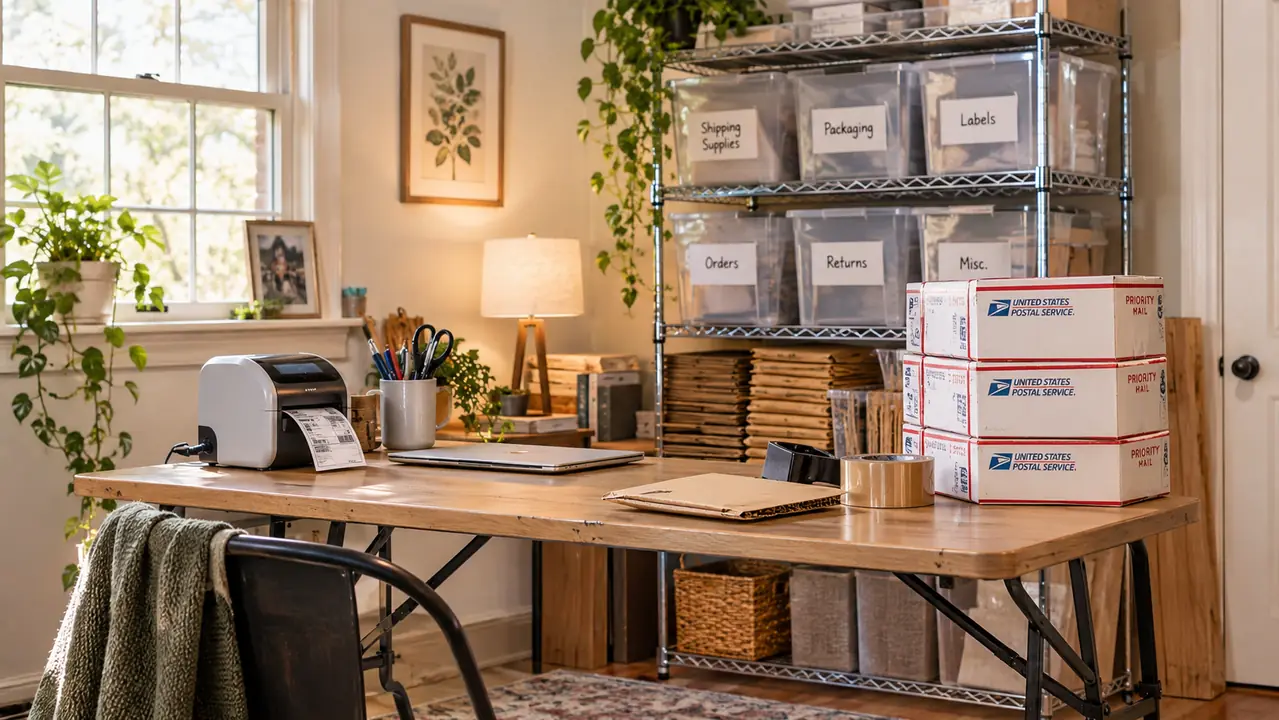
Some context, because the printer only makes sense in the room it sits in. I am 61 and I live outside Dayton, Ohio. I spent 27 years behind the counter of a small-town post office, so I know exactly what a bad label does to a clerk's morning. I started reselling in spring 2021, about five and a half years ago, mostly thrifted women's clothing and vintage kitchenware from estate sales, Goodwill and church rummage sales. That runs 8 to 15 packages in a normal week, more in November and December. I pack at a 6-foot folding table in the spare bedroom, wire shelving with labeled bins behind me and a rolling cart of supplies at my elbow. The Rollo sits on the left end of that table, next to the scale, and it has not moved since I set it down.
The Quick Verdict
Four and a half years, thousands of labels, no ink and no driver fights after the first week. A plain USB workhorse that does one job well, and reminds you it is tied to a laptop every time you want to print from the couch.
Amazon Check Today's Price →The printer that ended my taped-on paper labels
The Rollo USB prints 4x6 thermal labels straight from a Windows or Mac laptop, no ink and no toner. It has been the only label printer on my folding table since April 2022.
Amazon Check Today's Price on Amazon →How I've Used It
I bought the Rollo in April 2022, about a year into reselling, after a winter of writing addresses by hand and taping paper to boxes. The tape lifted at the corners in cold weather. Once a clerk had to retype an address because the barcode would not scan, and I stood there while the line behind me breathed on my neck. That was the end of that. I have not owned a second label printer and I have not wanted one. The first month I kept the old paper and tape in a drawer, just in case. It is still in the drawer, untouched, and I suppose I should throw it out.
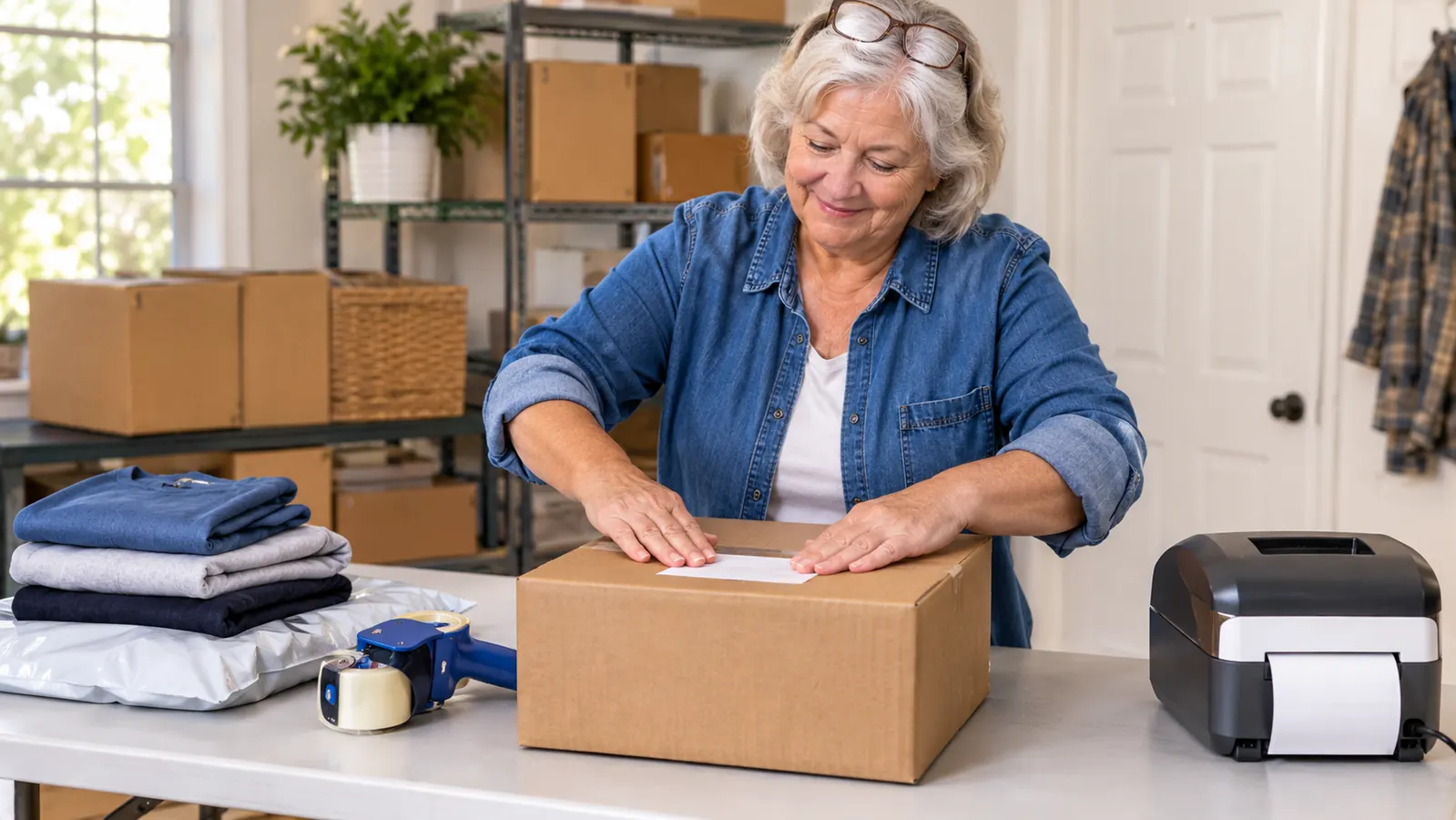
Every label I print is a 4x6 shipping label, one at a time, on demand. eBay and Poshmark both hand me a label as a PDF, I open the print dialog, choose the printer, and it comes out. There is no batch queue in my life. I pack one order, print one label, tape the box, and set it on the cart by the door. On a heavy Saturday that might be six labels in an afternoon. In December it is more than that, but it is still one at a time. The label itself does not change for a sweater in a poly mailer or a boxed piece of vintage Pyrex. The printer does not care what is inside the package.
The routine is the same on a slow Tuesday as it is in December. I sort the day's sales on the shelf, weigh each one on the scale, enter the weight on the listing, and only then do I print. Weighing first matters more than it sounds. In my first year I guessed a weight at the counter and a package came back postage due. Now the weight is settled before the box is taped, and the printer spits out whatever the platform decided for me.
The left end of the folding table is the entire shipping operation. Scale on one side, printer on the other, tape gun hanging on a hook on the shelving unit so I am not hunting for it with a box half closed. I weigh it, I list it, I print the label, I tape the box. Adding the printer to that corner was the smallest change I made in five and a half years of selling, and it removed the step that used to go wrong most often.
What the Rollo Actually Is, and What It Isn't
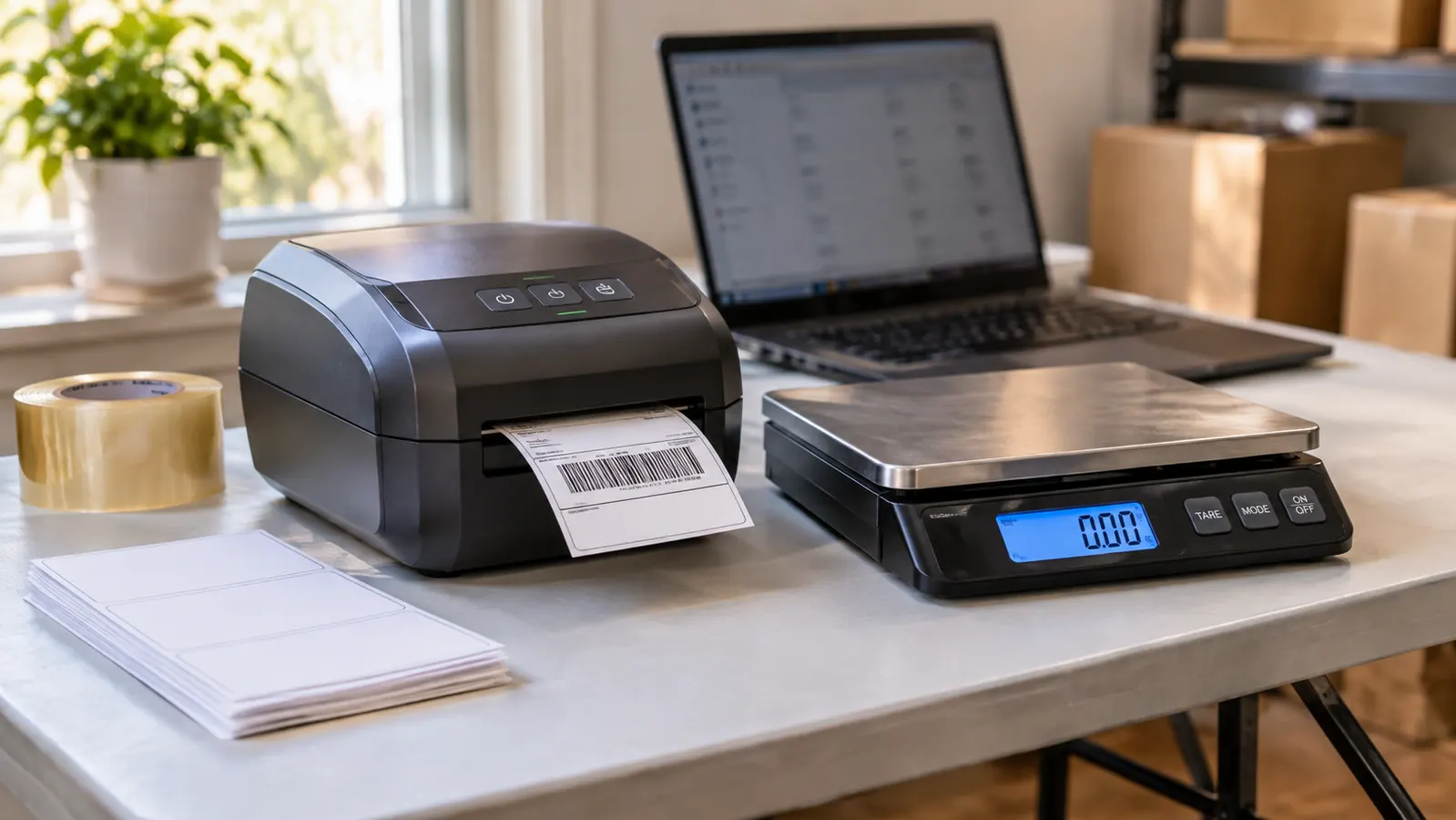
It is a direct thermal printer, which means there is no ink and no toner. The print head heats the label stock and the image appears. In four and a half years I have bought zero ink, zero toner and zero cartridges. That single fact is why I have never gone shopping for a replacement, and it is why I raise an eyebrow when someone asks whether an old inkjet in the closet would do the same job. An inkjet will do it. It will also smudge, and it will want ink, and you will find that out at nine at night with a box already taped.
The connection is a USB cable to a laptop. The printer is built for Windows XP and newer, or Mac 10.9 and newer. That is the whole story. This model has no Bluetooth, no wifi and no phone app. There is no printing from the kitchen. If I want a label, the laptop has to be awake, open and plugged in. I keep a laptop on the table anyway, so this has never bothered me in practice, but it is the thing to understand before you buy rather than after.
The machine weighs 2.2 pounds and measures 8 inches wide, 4 inches deep and 4 inches tall, so it takes less room than the scale beside it. The listed speed is 150mm per second, which works out to roughly one 4x6 label per second, and it feels that quick because the label is already sitting in the feed. It detects when a label is loaded, so I am not lining up edges by eye. There is a small LED indicator on the front that tells me it is on. That is the entire interface, and I mean that as a compliment.
The First Week Was the Worst Week
Setup was not hard, but it was not nothing. I downloaded the driver, installed it, plugged in the cable and printed a test label, and it came out at the wrong size because the print dialog was still set for letter paper. That is a settings problem and not a printer problem, but it took me two tries and a certain amount of muttering to find it. Once the label size was set to 4x6, that was that. I wrote the steps on an index card and taped it inside a cabinet door. I have not needed the card in years, but I know it is there.
The second thing was the label stock. My first batch came from a listing with no brand name and a photograph that turned out to be a stock image. Half of them peeled off the backing early, and the print came out faint at the edges. I finished that batch by printing each label twice, which is a stupid way to spend an afternoon, and I assumed I had bought a lemon. It turned out to be the labels, not the printer. The next batch listed the exact face sheet and core size, and the difference was immediate. If you are shopping, buy labels from a seller who will tell you what you are getting, because the printer will only ever be as good as the paper going through it. That is true of every thermal printer and almost nobody says it out loud. After that first week I have had very little to troubleshoot, which is the whole review in one sentence.
Four and a Half Years Later, What Held Up
Four and a half years of steady use, thousands of labels, and the printer is still on the same corner of the same table. The only maintenance is a wipe of the print head every few months, which takes less time than finding the tape gun. It has never gone back for repair. The limited one year warranty ran out a long time ago and I never needed it, which is the version of a warranty story you want. It has been knocked, moved twice when I rearranged the shelving, and once buried under a stack of poly mailers for a week. It still prints the first label of the day without complaint.
There was one stretch of July when the air conditioning in this house quit and the shipping room sat in the high eighties for four days. I carried the label stock out to the kitchen table and left the printer where it was. It printed the same as always, no skipped labels and no jams. The labels themselves started curling slightly at the edges by the second day back in the heat. That told me which half of the setup is the fragile half, and it was not the machine.
Speed has held up as well as anything else. A label comes out before I have finished reaching for the tape gun. During the December run, when I might print a dozen labels in one session, the printer does not slow down and does not need a rest. It draws its power from the laptop through the cable, so there is no battery to think about and no charging routine to build. I plug it in, I leave it plugged in, and it is ready when the next sale comes through.
What has aged is the cable, not the machine. The USB cable is the original and it has a kink in it now. That is the most dramatic thing I can report after four and a half years. If you are the sort of person who wants a piece of equipment to feel like an event, this is not that. It is a tool on a table that does its job quietly, and quiet tools are the ones I keep.
Where It Gets Annoying
The tether is the honest complaint. This printer and my laptop are married by a cable, and a short one at that. I cannot carry it to the kitchen to print a label while I am sorting a pile of blouses, and I cannot print from my phone when I am listing in the living room. If your listing workflow happens away from a desk, that will chafe, and I would look at a Bluetooth model instead of this one. The laptop also has to be awake and logged in, which sounds trivial until the screen sleeps while you are standing there holding a box.
The reach of that cable is about what you would guess for a cable packed with a small printer, so plan on the laptop sitting within arm's length of the machine. I tried moving the printer to the far end of the table once, thinking I would gain some room for folding, and I lasted two days before moving it back. Two days of leaning across a half-packed box to reach the keyboard was enough of a lesson. The corner it sits in now is the corner it will stay in.
The other complaint is the labels themselves. Thermal labels are sensitive to heat and direct sun, so I do not leave a labeled box on the porch in July longer than I have to, and I keep the stock in a bin away from the window. That is not the printer's fault, but it is part of owning one. There is also no screen to tell me what went wrong. The LED indicator tells me it is on, and that is all it tells me. Every bad print I have had traced back to the labels or to a print dialog setting, never to the machine, but I had to learn that by standing there staring at it.
What I Liked
- No ink, no toner and no cartridges, ever
- Prints a 4x6 label in about a second
- Small enough to live on a folding table corner
- Detects when a label is loaded, so no lining up by eye
- Still printing after four and a half years of steady use
Where It Falls Short
- USB only, no Bluetooth and no wifi
- Needs a laptop awake and within cable reach
- No screen and no error messages
- Label stock is an ongoing purchase
- Thermal labels dislike heat and direct sun
Thousands of labels in, the only thing I have replaced is the label stock. No ink, no drum, no repair, no second printer.
Who This Is For
This is for the home seller who packs from a fixed spot with a laptop on the table. If you are moving 8 to 30 packages a week, mostly clothing and small housewares, and you are still fighting with paper labels, this printer removes a whole category of small errors: the tape that lifts, the barcode that will not scan, the address you transposed by hand at nine at night. It suits eBay and Poshmark sellers, Etsy sellers shipping small flat items, and anyone who wants a plain tool with no app and no account to manage. It is also a reasonable buy if you are brand new. My mistake was waiting a year.
Who Should Skip It
Skip it if your listing and packing happens away from a desk. The USB cable is a real limit and a Bluetooth model will make you happier. Skip it if you print two labels a month and do not mind the post office counter, because the machine and the label stock are ongoing costs with no payoff at that volume. Skip it if you want a screen and buttons and menus to poke at. And skip it if you need to print anything other than a label, because this prints labels and nothing else. None of that is a knock on the Rollo. It is a specific tool for a specific habit, and it is worth being honest with yourself about which habit you have.
Four and a half years in, it is still the only printer on my table
If your packing spot has a laptop and a free outlet, this is the plainest way to stop taping paper to boxes. Same printer, same cable, thousands of labels.
Amazon Check Today's Price on Amazon →