Every few weeks somebody asks me the same question, usually while I am taping a box shut. Why not use one of those little label printers that works off your phone? No cable, no laptop, print the label from the couch. It sounds tidy, and I understand the appeal, because for my first year of reselling I hand-wrote every label and taped sheet paper to the outside of packages. I have used a Rollo USB thermal printer since April 2022, four and a half years now, and this fall I borrowed a neighbor's Bluetooth label printer and ran it on the same folding table for two weeks to see whether I was missing anything.
The plain answer: if your printer lives on a table and your laptop lives beside it, the Rollo is the better tool. It prints a 4x6 label in about a second, it finds the gap between labels on its own, and it has never asked me to update an app before it would work. If your laptop is in another room, or you list from your phone, or you want a label in your hand while the package is still in your lap, a Bluetooth printer does something the Rollo genuinely cannot do. That is the whole comparison. Everything below is the detail behind it.
| Rollo USB | Bluetooth label printer | |
|---|---|---|
| Connection | USB cable to a laptop, Windows or Mac | Bluetooth to a phone or tablet, no cable at all |
| Print speed | One 4x6 label per second, 150mm/s | A few seconds a label, and it varies with the connection |
| Label feeding | Auto label detection finds the gap between labels | You line each label up by eye before it grabs |
| Where you can print | At the table, within cable reach of the laptop | Any room in the house, or the passenger seat of the car |
| Software | Works with Windows and Mac, and takes a 4x6 label from the platform you already sell on | Runs through the maker's phone app |
| Ink and toner | None, direct thermal | None, direct thermal |
| Best for | A fixed packing table with a laptop beside it | Listing and printing from a phone, away from a desk |
How I Actually Compared Them
No lab, no stopwatch, no spreadsheet. I did a normal week. Same folding table, same batch of orders, same 4x6 labels, both machines loaded and switched on at the same time so I could send each label to whichever one sat nearer my hand. Then I made myself use only the Bluetooth one for the second week, laptop closed, phone only, because a fair test means giving the other thing a real chance instead of printing one label and declaring it slow.
That second week started on a Wednesday. I had fourteen orders, mostly blouses and one boxed set of Pyrex mixing bowls, and I made myself print every one of those fourteen labels from the phone. It took a while to stop reaching for the laptop out of pure habit, and I wasted the first ten minutes of the evening just finding the printer in the app's list and confirming it was the right one.
What I noticed first is that I kept reaching for the Rollo without thinking about it. That is not brand loyalty, that is four and a half years of habit built on a machine that does what it is told. What I noticed second is that the Bluetooth printer was genuinely pleasant when I was not at the table. I printed a label standing at the shelving unit with a sweater in one hand. I could not have done that with a cable, and I will not pretend otherwise.
Where Rollo Wins
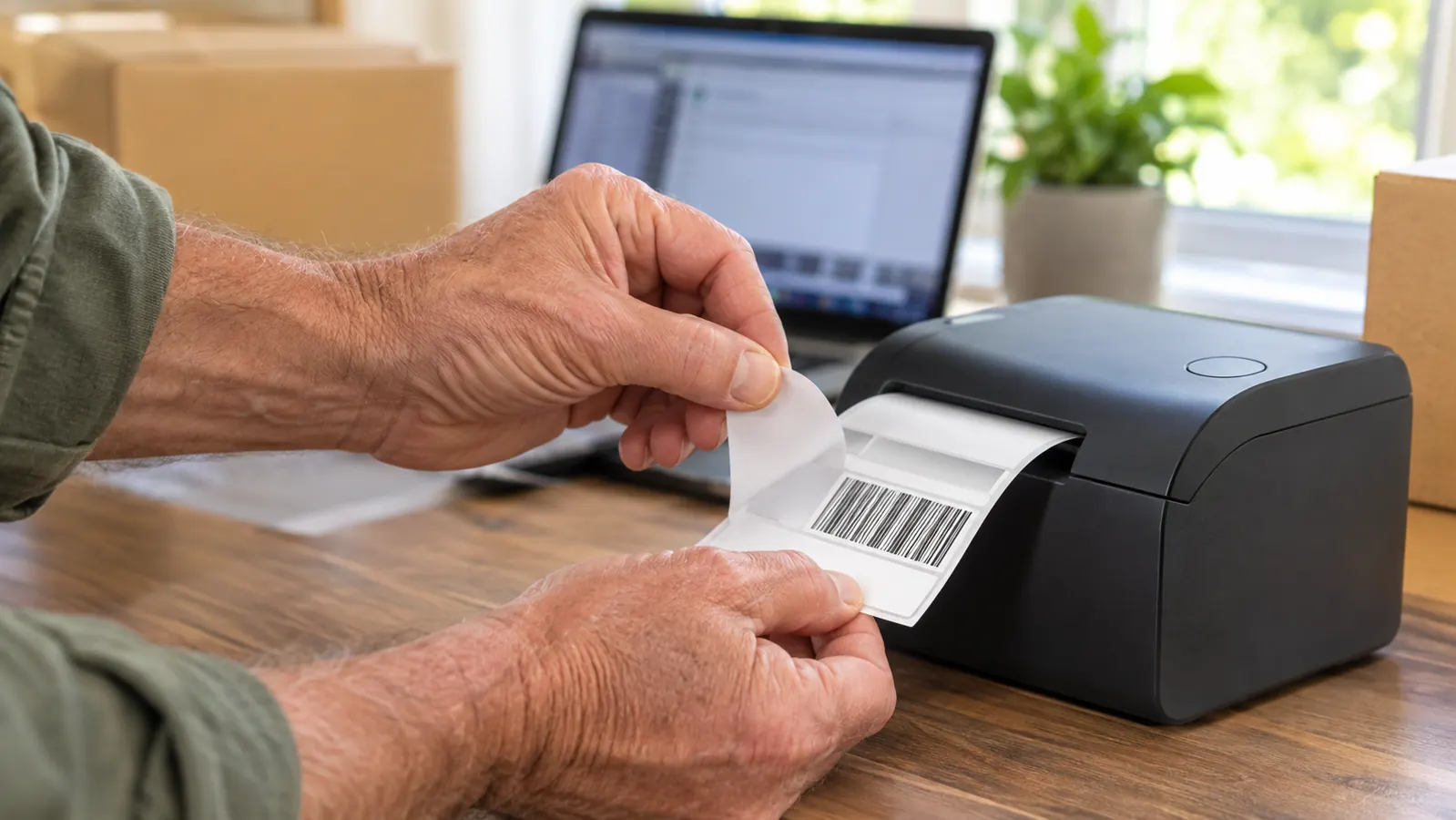
Speed, and then feeding, and those two together are most of what you feel day to day. The listing puts it at 150mm a second, or one 4x6 label per second, and in practice the label is on the table before I have let go of the mouse. Auto label detection means it finds the gap between labels itself. I drop a stack in, line nothing up, and print. With the borrowed printer I lined every single label up by eye and got one crooked badly enough that I had to reprint it before the barcode would scan cleanly at the counter.
A December batch can run to thirty labels in one go, which happens to be the listed maximum for a single run, and I have never had it balk at that. I load the stack, send them through, and pull each label off as I tape. What I do not do is stand there feeding labels in one at a time, which is what the Bluetooth unit wanted from me on any batch past about six.
The USB cable sounds like the limitation until you have spent a Tuesday evening troubleshooting a pairing prompt with a package waiting on the table. My laptop sits at the left end of the folding table, the printer sits beside it, and that cable has not moved in four and a half years. The machine is 2.2 pounds and 8 inches wide, 4 inches deep and 4 inches high, so it owns one corner of the table and nothing else. It works with Windows and with Mac, which matters in a house where the laptop gets replaced every so often.
There is a Rollo shipping app, and I know people who like it, but I do not need it. I print from the platform I already sell on, the printer takes the 4x6 label, and that is the entire relationship. Nothing updates itself at an inconvenient moment. Nothing wants a password first. After 27 years behind a post office counter, my patience for a device that argues with me is roughly zero, and this one has never argued.
Where the Bluetooth Printer Wins
No cable, and that is not a small thing, it is the whole point. In the second week I printed a label from the porch while Gene held the box steady. I printed one in the passenger seat after an estate sale, straight from a photo on my phone, and drove the package to the counter on the way home instead of letting it sit on the shelf until Thursday. If your listing happens on your phone, a printer that also works from your phone removes a step you did not know you were paying for.
It is the better choice for a small space, too. Not everybody has a spare bedroom to turn into a shipping room. If the packing happens on a kitchen counter and the family laptop lives in the den, a printer that pairs to a phone is the difference between printing a label and walking down the hall to print one. I will also say the borrowed unit was easier to move out of the way when the table needed to be a table again, and in a house like mine that happens more often than you would think.
The catch is volume. Eight orders in an evening is nothing. A Tuesday in December is thirty, and at that point you want the machine that answers instantly and never asks you to confirm a connection. The Bluetooth printer was fine, and then it was slow, and then it was sitting where the roll of bubble wrap needed to go. That is not a knock on it. It is a knock on asking one tool to do two jobs.
On the second Tuesday of that borrowed week I had nineteen packages and a carrier pickup scheduled for eleven in the morning. I printed nine labels on the Bluetooth unit before I gave up and went back to the cable, not because it had failed once, but because nine was enough to feel the difference in my shoulders. I was standing at the table anyway. The freedom the cable was supposedly costing me was a freedom I had no use for at that hour.
If your laptop already lives next to the packing table, this is the printer that never asks you a question first
USB to Windows or Mac, 4x6 thermal, one label per second, auto label detection. Mine has sat on the same folding table since April 2022. No ink, no toner, no pairing prompt at nine on a Sunday night.
Amazon Check Today's Price on Amazon →
What Four and a Half Years of Daily Printing Looks Like
Eight to fifteen packages a week, more in November and December, and the printer has been on that table the entire time. Thousands of labels. It has not jammed in a way I could not fix by opening it and setting the stack back in straight. It has not needed a part. Direct thermal means no ink and no toner, which is the bit people underestimate until a cartridge runs out at nine at night and the post office opens at eight the next morning.
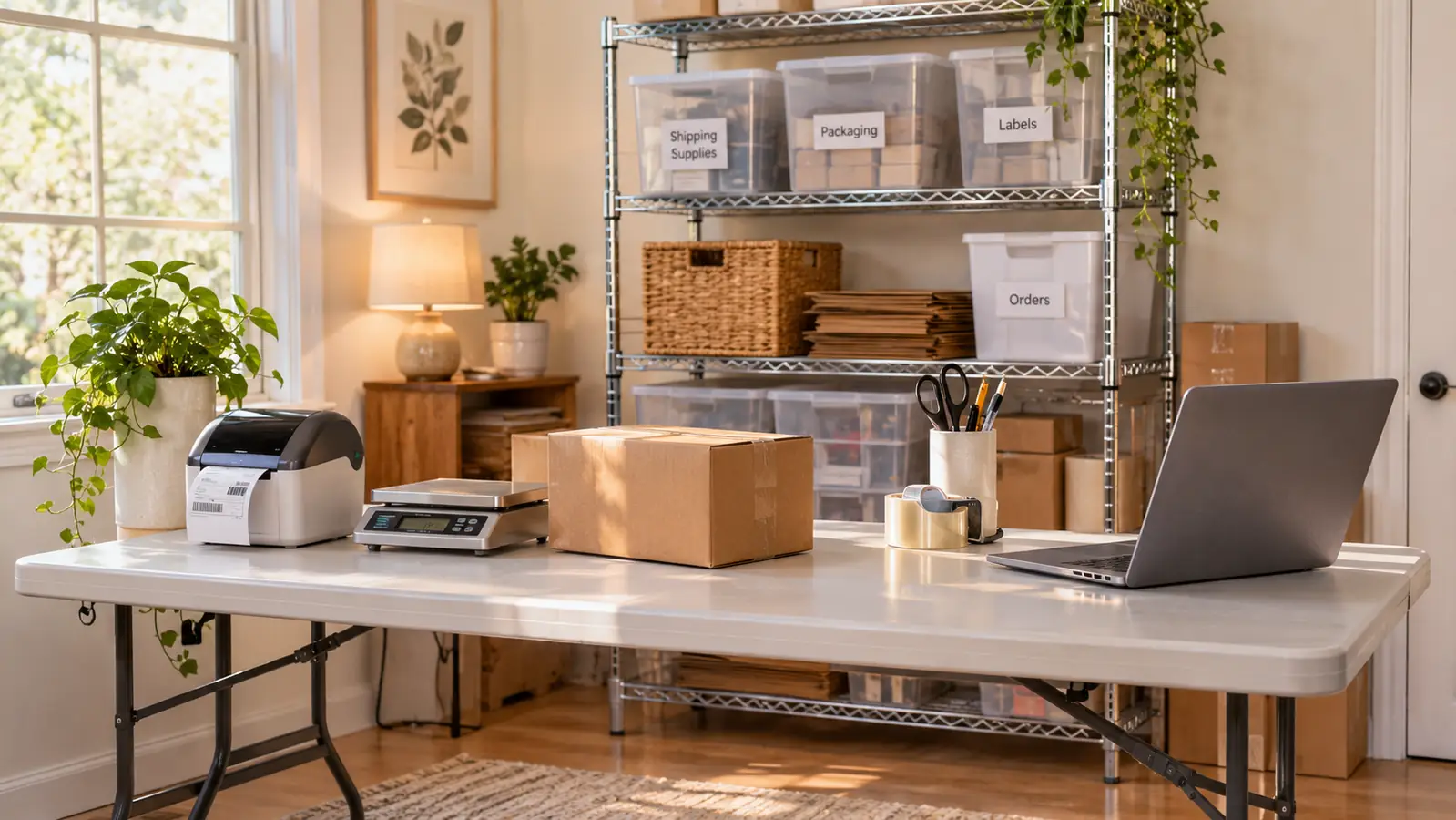
The table itself has not changed either. Six feet of folding table, the printer at the left end, the scale beside it, the tape gun on its hook and the bubble wrap under the right corner. When I get up, it is to carry a finished box out to the porch for Gene to stack, and then I sit back down in the same chair and print the next label.
The warranty is a limited one year and that year is long gone, so what I am describing is not a warranty story, it is just a machine that kept working. I bought it in April 2022, about a year into reselling, after a winter of handwriting labels and taping paper to boxes. The two things I would tell a new seller to buy first are a scale and a label printer, in that order, because guessing weights at the counter came back to me in postage due more than once and it was entirely avoidable.
Four and a half years, one USB cable, one 4x6 label per second, and I have never once had to troubleshoot it before a post office run.
The rest of my table is ordinary. A digital postal scale that has been there since January 2022, a tape gun I bought because squeezing a bare roll was hurting my right thumb, a roll of small bubble wrap for the vintage Pyrex. The printer is the piece I think about least, which is the highest compliment I can pay a tool. It is also the piece that, if it quit tomorrow, I would replace with the same model before the next listing went up.
The Parts Nobody Tells You About Either One
The labels matter as much as the machine, and nobody says so. Both printers want 4x6 thermal labels, and a bad batch will curl, or feed crooked, or print light enough that a scanner has to work at it. Buy a decent box of labels and keep them flat and out of the sun. I keep mine in a bin on the shelf, still in the wrapper until the stack on the table runs low. That one habit has saved me more grief than any setting I have ever changed.
The other thing nobody says is that your workflow decides this purchase, not the printer. If your labels come out of a shipping platform on a laptop, a USB printer is the shortest path between two points. If your labels come out of an app on a phone, a Bluetooth printer is. Buying against your own habits is how perfectly good equipment ends up under a bed, and I have done exactly that with a laminator, so I know the feeling.
The honest half of that is admitting what you actually do at nine at night. If the answer is that you are on the couch with a phone in your hand and three orders still to print, buy for the couch. If the answer is that you are already sitting at the table with the laptop open and a bin of sweaters beside you, buy for the table.
Who Should Buy Which
Buy the Rollo if your packing happens at a fixed table and your laptop is within arm's reach of it. Buy it if you print more than a handful of labels a week, if you would rather plug in once than pair every time, and if you want the label to come out right the first time without a conversation. Buy it if your shipping room is a spare bedroom with a folding table and a shelf of bins, which is exactly what mine is, and if one more app signing you out mid-order makes you tired just thinking about it.
Buy the Bluetooth printer if you list from your phone, if there is no computer in the room where you pack, if your batches are small and your printing happens in odd places, or if the table has to become a table again every evening. It is a good tool and it solved a real problem for me for two weeks. It is just solving a different problem than the one my table has. Neither of these is a mistake. One of them is a mistake for your particular room.
Four and a half years, one cable, thousands of labels. That is the entire pitch.
The Rollo sits on the left end of my folding table and prints a 4x6 label in about a second, inkless, on Windows or Mac. If your laptop is already in the shipping room, this is the one to get.
Amazon Check Today's Price on Amazon →